SVT Offline Event Display
-
There are a few objects created during the offline reconstruction which can be considered for the Svt event display. The reconstruction sequence runs as follows: digis -> clusters -> hits -> space points. Digis and clusters are essentially collections of strips, which makes it a bit difficult to display them (the picture quickly becomes rather messy); hits are also a little tricky to display -- a hit is effectively a piece of trajectory. Space points are straightforward to display, but the drawbacks are that there are always some "ghost" points and that in some circumstances one might be interested in looking at individual Phi and Z hits as opposed to space points.
-
Starting with release 6.9.1, the user can choose to display Phi hits, Z hits, or space points (one can also display "HoTs" -- hits on reconstructed tracks, but I will concentrate on "pre-tracking" reco objects). The Phi hits look fine in the xy-projection:
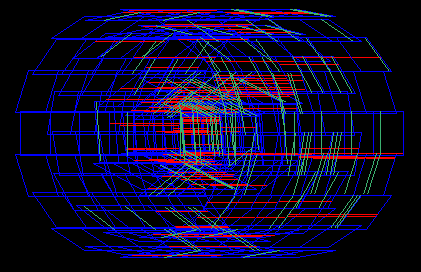
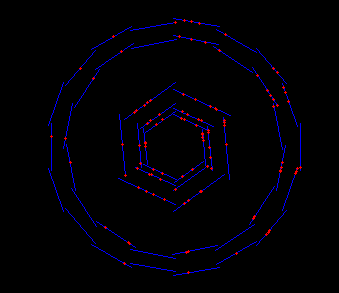 but if one rotates the picture, it becomes rather unclear:
 Similarly, Z hits look ok in the r-z view:
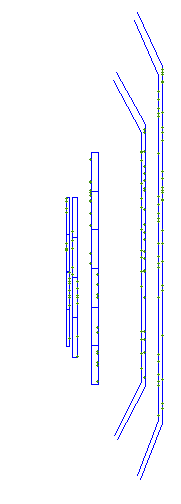 but not when the display is rotated (the picture below actually shows both Phi and Z hits; the Phi hits are red, and the Z hits are green):
 On the other hand, space points look fine even when the display is rotated:
 but there are quite a few ghost points.
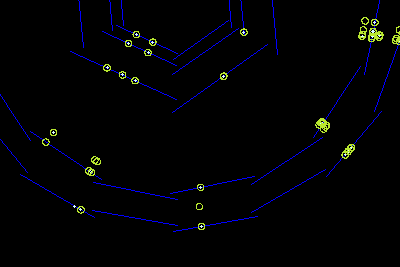
The space points are currently implemented as circles, in such a way that they allow one to see which ones are real. The picture below shows both space points (yellow circles) and geant hits (white points), so that the space points that are filled are real:
but there are quite a few ghost points.
The space points are currently implemented as circles, in such a way that they allow one to see which ones are real. The picture below shows both space points (yellow circles) and geant hits (white points), so that the space points that are filled are real:
natalia@charm.physics.ucsb.edu